Your TODO says you want to fine-tune the colors a little more. Can I interest you in my Colors library? -- pecoes 11:36, November 03, 2012 (UTC)
Pop-up disappear speed
Is there any way you can make the pop-ups disappear faster? They seem to take too long to disappear, and sometimes they take almost an entire minute to disappear after you stop hovering over them.
Is there any way to change how long it takes for the window to disappear, as sometime it disappears quickly and other times it take minutes to disappear? Rocketslime_1_1TalkWallContribs 21:27,11/12/2012
They disappear using the same hover delay setting that creates them, but they only disappear after having been interacted with. You need to hover your mouse over the popup's body then hover out of it to trigger the close timeout otherwise it will stick open. This is intentional. Lunarity 00:59, November 13, 2012 (UTC)
I've made it configurable now. Just open the popup settings and untick "Use sticky hovering". Lunarity 02:38, November 13, 2012 (UTC)
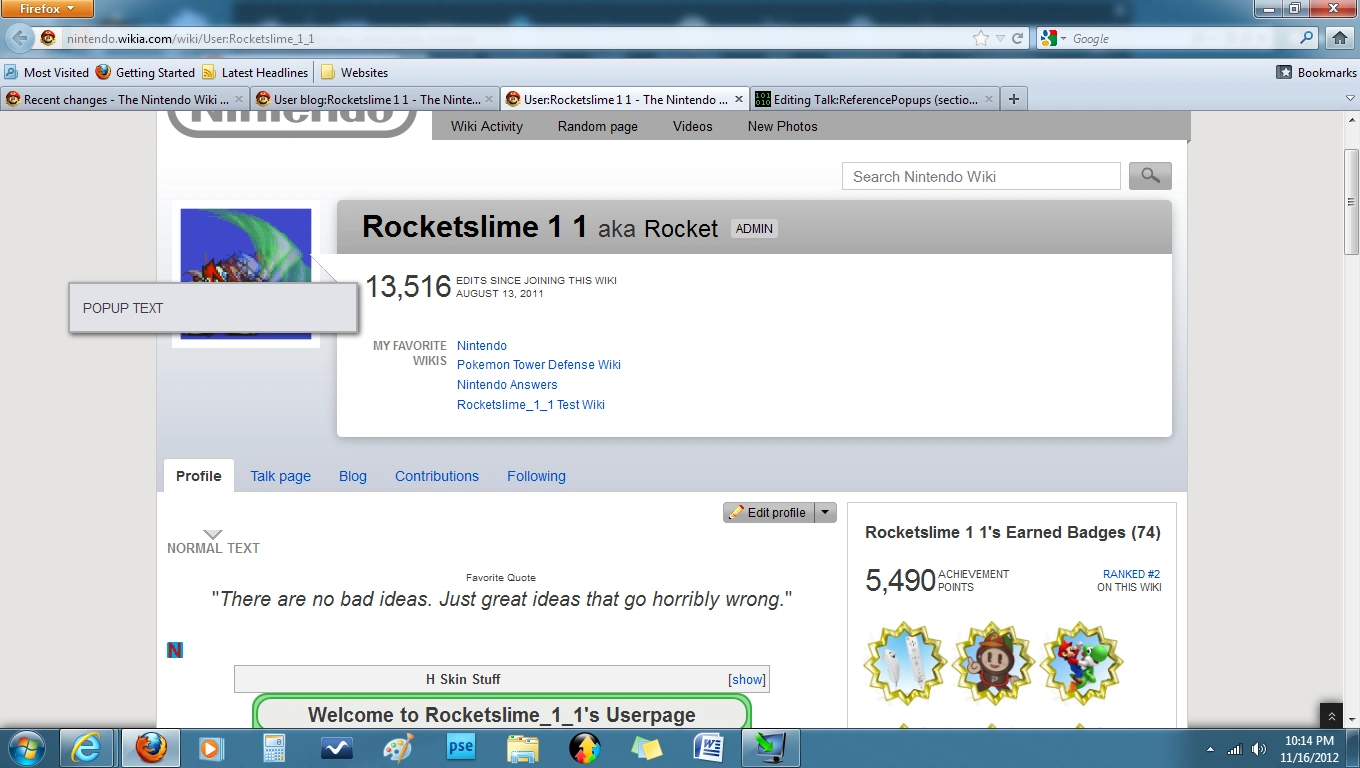
Thanks, that makes it much better. Though for some reason when the popup goes above the reference the arrow underneath it works right, but the rest of the box is quite a few pixels too high. Rocketslime_1_1TalkWallContribs 22:06,11/13/2012
Unfortunately, that was a bug I introduced while trying to fix another one; I thought I fixed it already (Try a Ctrl+F5). The problem causing that is that the popup has the WikiaArticle CSS class applied to it, which it needs because it's attached to
WikiaMainContent, not
mw-content-text, and only stuff which is descended from a .WikiaArticle gets bold, italics, underline, list items, etc. If your wiki has custom CSS on .WikiaArticle then it may interfere with the popup and screw up the height on it. I've made the unset CSS more robust, let me know if it's still happening (I'd like a link to an example page if possible, so I check the CSS cascade that's causing it). Lunarity 04:31, November 14, 2012 (UTC)
(Reset indent) What browser are you using? It's working correctly (on that page) for me in Firefox 16, Chrome 22 and Internet Explorer 9. Can you give me a screenshot? Lunarity 06:14, November 15, 2012 (UTC)
I am using Firefox (I'm not sure what version, but a newer one). Here is a screenshot. Rocketslime_1_1TalkWallContribs 03:15,11/17/2012
I suspect the problem is what I mentioned before about .WikiaArticle, since it looks exactly the same as what I was seeing before I fixed it. The baffling part is that I have CSS that is supposed to fix it but your browser is apparently using the old stylesheet without the CSS reset code. I suspect the server has served you the old version of the sheet with a week/month/year expiry instead of 10 minutes during that time it was really flaky and broken. Clearing your cache should fix it. [Did you try testing with Chrome or Internet Explorer?]
In any case, I've inlined the CSS Reset into the JavaScript, hopefully that should fix it for you. Lunarity 04:57, November 17, 2012 (UTC)
It works in IE, but after doing the normal (F5) cache clear it still hasn't fixed. Rocketslime_1_1TalkWallContribs 18:27,11/18/2012
Okay, so it is specific to your Firefox installation. You must be stuck with an old version of the JavaScript as well. There isn't anything I can do if your browser is refusing to update to the latest version of the code. Did you try using "Private Browsing" mode in Firefox? That disables the cache which will make it clearer if that is the problem.
I recommend you fully clear your cache as you're probably going to have problems with other scripts as well until you do. Hit Firefox > History > Clear Recent History. Change the "Time Range" drop list to "Everything" then expand the "Details" section and untick all the boxes except "Cache" then hit "Clear Now". After that, do an F5. If it's still doing it, repeat the clear cache steps, except the F5, exit Firefox, open it again then try it. Lunarity 22:31, November 18, 2012 (UTC)
(Reset indent) Other than that, there's Firefox > Options. Go "Advanced", change to "Network" and click the "Clear Now" button in the Cache section. Then refresh.
If that doesn't work either then I'm out of ideas. I still don't think there's anything wrong with the script itself since I'm using Firefox as well and it works fine for me. Lunarity 02:24, November 20, 2012 (UTC)
I was able to reproduce the problem on a different computer, I'm not sure why but there seems to be a random problem with processing min-height: auto; correctly, I've switched it to min-height: 0; instead. Hopefully that should fix it, it's rather inexplicable why this happened in the first place though. The docs for min-height say "auto" should behave the same as zero unless the element has "display: flex", which it doesn't (shouldn't)... Lunarity 02:41, November 20, 2012 (UTC)
I was looking to put this code on a non-wikia wiki to use for the pop-up template. So I was wondering how exactly do you add it to a non-wikia wiki? Rocketslime_1_1TalkWallContribs 01:17,12/9/2012
I don't think you can. The code uses Wikia's MediaWiki modifications to function, including $.showModal, window.importArticle and direct calls to load.php?mode=articles. I could modify it to be less dependent on Wikia's features, but the configuration UI is largely unsalvageable, there is no hope for making that work without a major rewrite (which is currently prevented by the fact that jquery.ui.dialog doesn't work at all in Oasis without a custom stylesheet). The other problem is that this script depends on Pecoes' Colors script internally for the color calculations, and that also relies on Wikia's features and is especially dependent on Oasis.
Short version: You'd need to copy /code.js and /code.css, but you'd also need to make significant changes to the loader functions in /code.js, and you'd also need Colors/code.js which needs significant reworking to not be dependent on SASS as well. [The external Wiki will also need to be running MW1.18 or newer, mw.loader is not optional, being manually upgraded to jQuery 1.8.3 would be good idea as well].
OTOH, it would be possible to fork the code and remove most of the dependencies. I can do that for you if you'd like, it won't take too long as it's mainly a deletion-happy exercise, but you will need to write custom CSS on your wiki to style the popups manually as I will have to gut all the color logic. Lunarity 06:08, December 9, 2012 (UTC)
You will need that JavaScript file and MediaWiki:ReferencePopups.css. Put the CSS file at MediaWiki:ReferencePopups.css on the target wiki [Or you can just paste the contents into your Common.css, whatever works].
The biggest limitation is that there is no configuration UI at all. It can still be configured, but only by JavaScript (manually putting your settings into window.localStorage by the browser's script console). Lunarity 06:45, December 9, 2012 (UTC)
Wordmark problem
Popup disappears behind Wordmark
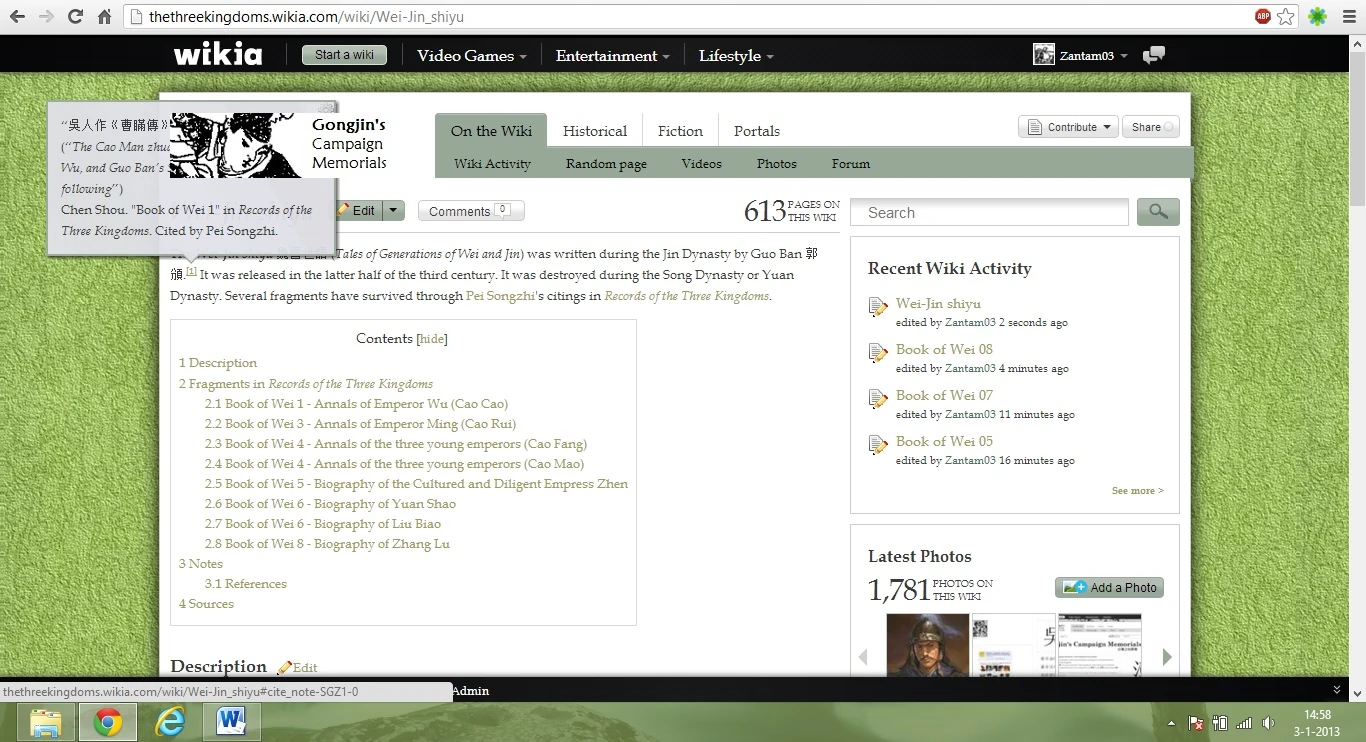
Hello, I've been using this RefPopup for a while now and really like it a lot. Thanks. Today I noticed a little problem though. Nothing big, but maybe worth noting... when the pop-up appears in front of the Wordmark the part that covers the wordmark disappears. Can this be fixed? -Zantam03(Talk) 14:03, January 3, 2013 (UTC)
The problem is caused by z-indexing and CSS block stacking contexts. I can make it so the popup is on top of almost everything but that risks breaking other things in the CSS rules. The popup is currently descended from WikiaMainContent, I may be able to shift it up to WikiaPage or the body but I'm concerned that it will break the user's and Wikia's CSS rules by preventing some of the classes from applying properly. Lunarity 20:41, January 8, 2013 (UTC)
It seems that when a ref contains a '&' it won't pop-up, at least not on this page ---Zantam03(Talk) 01:13, January 19, 2013 (UTC)
Ampersands are a special character in HTML and are not interpreted literally so it's being encoded by MediaWiki. For whatever reason, someone decided it would be a good idea to encode these as '.26' which is an invalid CSS class thrown into the middle of the id. I've added a workaround for this so it should work now. (The issue was caused by using ampersands in the name field of the ref) Lunarity 17:01, January 19, 2013 (UTC)
Infobox Issues
Doesn't seem to work within our infoboxes, any way you can take a look and tell us what's broken?
The article only mentioned "MediaWiki:Common.js". {{SUBST:User:Lelouch Di Britannia/Sig}} 12:04, September 26, 2013 (UTC)
Lockdown Mode
I tried to enable the lockdown mode on my wiki by copying-and-pasting the code provided with no luck. I tried placing both before and after script importing, cleared the cache, waited 10, 15 minutes but the code wouldn't take effect. After I removed it from my Common.js, the script almost instantly worked. Any ideas of the problem here? DEmersonJMFM 03:18, November 23, 2013 (UTC)
Colors
Is there any way I can change the color of the reference popup? I don't want to use the colors of theme of my wiki User:Relikz 4:27, January 26, 2014 (UTC)
Yes. Simply inspect the reference popup, and add the appropriate styles to the wiki's CSS. -452 (talk) 15:03, July 13, 2014 (UTC)
Suggestion
Suggestion: Allow popup references inside popup references, by attaching the handler to the popped-up reference. -452 (talk) 21:33, January 11, 2015 (UTC)
Suggestion: Make the bubble fade in instead. --The Lightning Pencil 13:18, January 18, 2015 (UTC)
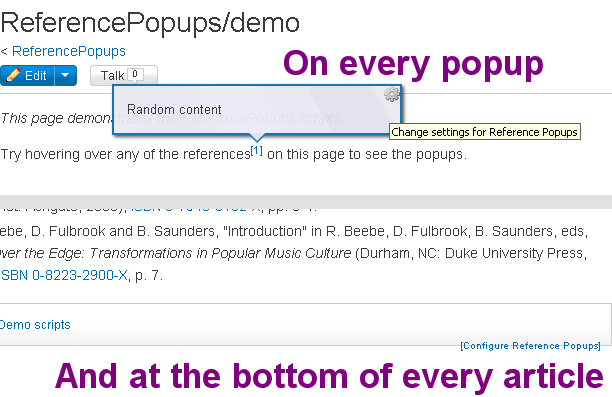
"Configure Reference Popups" link not in Oasis?
Maybe it's just me, but I can't seem to find the "Configure Reference Popups" link in the Oasis skin. I checked below the categories and I can't find the link there. I have to switch to Monobook via ?useskin=monobook or the SkinSwitchButton tool. Can this be fixed so users not experienced with other skins can access this too? Thanks. --I am k6kaTalk to me!See what I have done 15:38, May 30, 2015 (UTC)
Here are two places the link is present in Oasis for me:
However, I agree that it should be easier to find, perhaps in the "My Tools" menu, or in the user dropdown, right below to "My Preferences". -452 16:48, May 30, 2015 (UTC)
Perhaps the wiki you're looking at has the "lockdown" setting enabled? This removes the link from below the categories - but the link in each popup should still be there. -452 16:51, May 30, 2015 (UTC)
I looked at ReferencePopups/demo, and the link below the categories doesn't appear in Oasis. However, when I switched to the Monobook skin, it appeared. Not sure if RefPopups on dev.wikia is on lockdown, or if the lockdown setting doesn't work for Monobook. --I am k6kaTalk to me!See what I have done 17:45, May 30, 2015 (UTC)
That's interesting, I can't figure out why the link appears for me but not for you. -452 18:00, May 30, 2015 (UTC)
Okay, hmm... I installed the gadget in my personal JS file on one of my wikis and the link appeared. Dunno why it doesn't appear here though. The "Categories" box does overlap the link annoyingly... maybe that can be fixed? --I am k6kaTalk to me!See what I have done 18:11, May 30, 2015 (UTC)
...kinda forget what I said above. The link appears on some pages, but not all. It doesn't seem to appear in the article namespace, but oddly it does appear in the project namespace. --I am k6kaTalk to me!See what I have done 18:28, May 30, 2015 (UTC)
I have the script installed site-wide and the "Configure Reference Popups" link isn't shown in the main namespace for me, but I do, as K6ka noted, see it in the Project namespace. This, however, doesn't hurt my feelings as I thought its present location was a bad location for the link (My Tools is my preference) and considered removing it anyway. DEmersonJMFM 03:30, July 10, 2015 (UTC)
This is a bit late, but I actually found out the cause for this a good while ago. Apparently it has something to do with Wikia's "Add category" feature, which can be disabled in Special:Preferences. Having that enabled interfered with the "Configure Reference Popups" button. I disabled Wikia's category module for HotCat and the link now appears just fine. —k6ka🍁 (Talk · Contributions) 02:25, March 21, 2016 (UTC)
This issue orcurs because the WikiaArticleCategories element which script try to insert the link doesn't exist. I make a minor fix for this problem. Hope Wikia staff don't suddenly change their class/id of any element. Dai ca superman (talk) 04:06, October 22, 2016 (UTC)
Translation
Hello. Excuse me, but would you please add Japanese translation?
And I couldn't get the Popups to work. Is their something I did wrong, or can non-admins not use this?
Bug: not working when parameter "name" has ":"
Hello. I think I found a bug with this script: when the parameter "name" in the reference (<ref name="something"/>)includes a colon (:), the popup doesn't appear. I assume this isn't a big deal in most cases, but in the Attack on Titan Wiki we have a template to make quick references and it provides automatic merging of references by setting as "name" the same text of the reference; hence if the text includes a ":", the popup will not work. I looked at the code of the script in the hopes of finding the possible bug and then submit the fix to you, but... @_@ it surpasses my limited knowledge in JavaScript. Any idea about how to solve it? Thanks in advance.--Manuel de la Fuente (talk) 20:46, April 1, 2016 (UTC)
I saw that apparently this issue had already been detected, so I tried to solve it by replacing this line (877):
var $cite = $(frag.attr('href').replace(/\./g, '\\.'));
With this:
var $cite = $(frag.attr('href').replace(/\.|:/g, '\\.'));
Has anyone solved this problem? I would rather not run a bot over nearly 24,000 pages to remove colons from my <ref> tags. :-/ —Moviesign (talk) 14:12, October 21, 2017 (UTC)
Also checking if anyone else has figured out how to fix this issue. Seems kind of like a big deal when half the references don't show the popup because they're cited throughout a page.
Can someone add a parameter that will allow us to specify which namespaces we would like to at least see the configuration link? Or perhaps even better a limitation for the configuration link to only show on pages that actually have references? Personally, I don't like seeing it on file pages, categories, main page, etc. DEmersonJMFM 15:35, November 6, 2016 (UTC)
I'm still very interested, especially in the latter option. DEmersonJMFM 01:00, June 22, 2017 (UTC)
You could use JS and CSS to do it. For the first one do if (!<namespaces>) { mw.util.addCSS('#refpopupsettings {display:none;}'); } and for the second one if (!<refpopups>) { mw.util.addCSS('#refpopupsettings {display:none;}'); }. Or you could hide them everywhere via site css then show them when you want them. --Sophie 02:09, June 22, 2017 (UTC)
I found a pure CSS solution for the first a while back. I'll give the second a try, though I still think it's a good idea for the script here to support these options. DEmersonJMFM 15:30, June 22, 2017 (UTC)
Says there's a syntax error. DEmersonJMFM 15:37, June 22, 2017 (UTC)
Blew a gasket
I see no edits to the JS files for this script within recent months, but suddenly the script has stopped working everywhere for me, even with ?useuserjs=0, so I know it’s not my personal code causing the problems. Even on ReferencePopups/demo it isn’t working for me, & what’s worse is that it is conflicting with Wikimarks, UserTags, SkinSwitchButton, & many more, causing them to fail when imported together. JS is mostly beyond me, so could someone please look into it? UrsuulTalkCMDate12:52 PM Tuesday, July 11, 2017 (UTC)
Do you know how to fix it? UrsuulTalkCMDate1:17 PM Tuesday, July 11, 2017 (UTC)
Yes, I simply removed all references to "fold" and my fork works fine now. -452 13:28, July 11, 2017 (UTC)
That seems to work for me too, I made this change now and submitted it for review. The animation will be gone, though, so the script still needs further fixing. -- Cube-shapedgarbage can 13:44, July 11, 2017 (UTC)
Somebody would probably have to import that library from an external source or use some other alternative to it. -- Cube-shapedgarbage can 13:20, July 11, 2017 (UTC)
All worked out yay :D UrsuulTalkCMDate6:49 PM Tuesday, July 11, 2017 (UTC)
Popups doesn't work
Hey here,
Well, I tried to place the ReferencePopup on my Wiki, but it seems I did something wrong, cause it doesn't work at all. I followed all the instructions and... nothing. However, when I tried two days ago, it worked...
Maybe I missed something important, hm? Two days ago, it worked with the test mode, and now that Fandom has accepted my submission JS, it's broken for a reason I don't know.
Can someone help?
Thanks, and sorry, English's not my mother langage.
These popups now render at full width behind the page content.
Example --Pyramidhead (talk) 05:56, February 24, 2018 (UTC)
Fixed by copying MediaWiki:ReferencePopups.css to the site's Common.css. Looks like you renamed the css file, did you guys not do any testing afterward? --Pyramidhead (talk) 06:01, February 24, 2018 (UTC)
ReferencePopups still work for me on all wikis and the script loads MediaWiki:ReferencePopups.css for more than a month now. What you're encountering is a cache issue just like the one people encountered on here and here. -- Cube-shapedgarbage can 16:14, February 24, 2018 (UTC)
Popups Not Working
Hi! I'm an admin at the Fukigen na Mononokean Wikia. I have recently requested for Javascript be enabled on said wikia and it has already been done. As such, I was hoping the reference popups would already work in the wiki. But after adding:
dev:ReferencePopups/code.js
to MediaWiki:ImportJS of the wiki, reference popups still wasn't working. Whenever I hover on citations, for example on this page, the popup doesn't show.
I wonder what I've done wrong as I think I've followed the guide in this page. Hope you can help me in this! Thank you! --Animegane12 (talk) 11:30, April 8, 2018 (UTC)
Nevermind! It's already working! I guess the change doesn't take effect immediately. --Animegane12 (talk) 17:02, April 8, 2018 (UTC)
German
Variable
English
German/Deutsch
confTitle
Configure Reference Popups
Referenz-Popups konfigurieren
confReenableHelp
If you disable the popups, they can be re-enabled by clicking the 'Configure Reference Popups' link at the bottom of the page, near the categories.
Wenn Du die Popups deaktivierst, können sie erneut aktiviert werden, indem Du unten in der Nähe der Kategorien auf den Link "Referenz-Popups konfigurieren" klickst.
confDisable
Disable Reference Popups
Referenz-Popups deaktivieren
confEnable
Enable Reference Popups
Referenz-Popups aktivieren
confLockdown
[LOCKED]
[GESPERRT]
confLockdownMsg
This wiki has been configured to always require Reference Popups be enabled.
Dieses Wiki wurde so konfiguriert, dass Referenz-Popups immer aktiviert sein müssen.
confActivateDelay
Hover Activation Delay:
Hover Aktivierungsverzögerung:
confHoverSticky
Make popups stay open until touched with the mouse
Lässt Popups geöffnet, bis sie mit der Maus berührt werden.
When visiting a page on a UCP wiki with this gadget enabled, a type error occurs. The warning reads TypeError: Colors.wikia is undefined. It refers to the line color.page = Colors.parse(Colors.wikia.page) in ReferencePopups/code.js. On talk pages, the warning turns into an error because it is not caught, and stops other gadgets from working. When I open the console after the page has loaded, I can confirm that window.dev.colors is defined and that the colors widget has been downloaded. This bug is currently present at Fallout Wiki. This wiki imports the gadget using ImportJS and does not perform any additional configuration to the gadget. - FDekker(talk) 22:48, November 12, 2020 (UTC)
That's weird, I can't reproduce that error and it's also working for other users I've asked. If it throws an actual error, could you tell the JavaScript debugger to pause on exceptions (on Chrome, top right corner on the right side of the Sources tab in DevTools) and, when the debugger pauses on that error, check whether a network request to load Colors from Dev has been fired and whether window.dev.colors (and its wikia property) have been defined? -- Cube-shapedgarbage can 00:14, November 14, 2020 (UTC)
Sorry for the late reply. Totally forgot to check this page. I can no longer reproduce the error, so I think the issue can be considered solved. If the issue reoccurs I'll check the debugger and network requests. - FDekker(talk) 22:38, November 23, 2020 (UTC)
RIP
It appears the most recent Fandom wiki update has completely broken this template. BlackDragon 03:20, 17 April 2021 (UTC)
On FandomDesktop light mode themes, the references have dark text on a black background, so it's unreadable. It looks fine on dark themes, which have light text on a black background, and of course it still looks fine on Oasis. Reported to me here which includes a screenshot, and confirmed on other wikis with light themes. Can the styles be updated to work with the new FandomDesktop skin? – KylaraE (talk) 00:58, 2 June 2021 (UTC)
Is there any chance that this can be fixed for UCP/UCX/FandomDesktop? We use this wonderful script extensively on my wiki and people would like to be able to configure it to their liking again. Thank you for your time. —Moviesign (talk) 23:15, 3 October 2021 (UTC)
Jammed gear
Hi! The settings are not activated (neither the gear in the popups window, nor the text under the categories respond to a click). --FunGorn (talk) 11:19, 2 December 2021 (UTC)
No activiting hover (first go)
The reference doesn't pop up when i hover on it for the first time, but if i go off it, and hover it to the reference, it pops up, how could i fix this?—Preceding unsigned comment added by Vihaanbansal12 (talk • contribs) . Please sign your posts with ~~~~!
Do you have a link to where this happens? -- Cube-shapedgarbage can 16:11, 22 December 2021 (UTC)
Seems to do not work on MW 1.37
Hi, On my wiki created on MW 1.37, the JS script seems to do not work properly, getting an error message in the browser console each time I hover a reference element: "Uncaught TypeError: module.Popup is not a constructor". Example: Ted Mosby on HIMYM Wiki (several references in the infobox). Celdrøn (discussion) 23:00, 28 April 2022 (UTC)
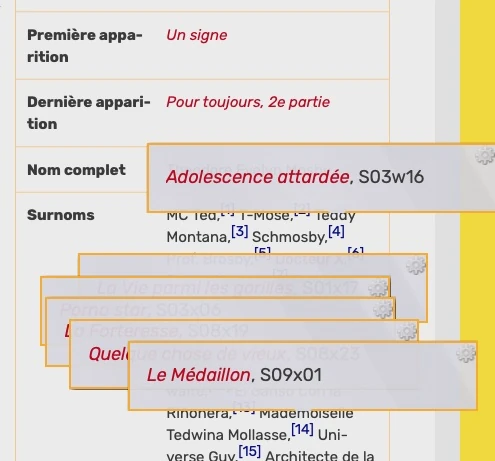
I'm seeing different behavior. The reference windows pop up but don't go away when you mouse off of them:
Yes, a fix was published about the issue I reported. But I can see the same behavior you see since. Celdrøn (discussion) 22:43, 7 May 2022 (UTC)
Yeah it's an error with Uncaught TypeError: jQuery.easing[this.easing] is not a function but I'm not exactly sure how to fix it. --Sophie ♦ 03:30, 8 May 2022 (UTC)
This script is working for me now on a 1.37 cloned wiki. Even the configuration works when you click on the small gear icon. Thank you so much! <3 The configuration box is not dismissed when you click Save or Cancel, but the Save does happen, there is just no visual feedback that it worked. —Moviesign (talk) 14:07, 10 May 2022 (UTC)
Yes, it works on my side too now. Thanks to all developers who fixed this issue. 😉 Celdrøn (discussion) 19:04, 10 May 2022 (UTC)
Tempplate:Popup not workig at all
I'm ot sure if it is how it supppose to be, but the Popup Template lost it's power about 2 weeks ago. It's not worling even on the demo page of the script, so I guess that's not on purpose?
Conflict with local wiki CSS
I was willing to use this on Kingdom Wiki, but it has a weird conflict with the local wiki CSS.
I see the script loading its own <script> and <style> elements on the page code, but no div elements are generated on the document.
No "refpopups-popup" or "configure-refpopups" whatsoever.
But, when I remove from the CSS the line 16 (the one containing --theme-accent-color: var(--em-2);), and only this line, the RefPop script works fine 🤷🏻
We have a test page on main namespace, but to avoid running tests with the actual wiki CSS, I've done the tests via the Stylus extension on MS Edge last version on Windows 10.
Is removing that CSS line my option? —Sapador Castelo 18:35, 16 June 2022 (UTC)
Solved by moving the variable definition from .mediawiki{} to .theme-fandomdesktop-dark{} and .theme-fandomdesktop-light{} (having to repeat the same definition on both themes unfortunately). Weird, but worked. —Sapador Castelo 17:11, 29 June 2022 (UTC)
Ref name issue
If there is a special character such as "&" in the reference name, popups do not work. This is a major annoyance when you're using streamlined referencing templates where the ref name is determined by parameters and thus have the characters "{" and "}" when at least one parameter is empty. Potsk 22:43, 26 April 2023 (UTC)
Hi,
I'm an admin on pl.wojownicy Wiki, and we've got this script added to our ImportJS since 2019. It used to work, but few months ago it stopped working, and I don't exactly know why. What can I do to fix it? Booklier (tablica|edycje)_ 14:07, 3 November 2023 (UTC)
Your Common.js keeps throwing an error every second, making it harder for me to debug the issue. Since the thing it was counting down to seems to be over, you might want to consider deleting it.
I submitted a fix for the faulty dependency for review, please report again if it still doesn't work tomorrow.