UserProfilePopup displays a popup that contains user information when user hovers a user link. The information when displayed is the same as one in the masthead in user page but more dynamic, except the viewer must access to user page if they want to read the full article. It can not work in Discussions.
Popup will display exactly the information of a user in the user page, including: User avatar, User name and Aka name, Number of edits and posts, User groups, User bio. There are some buttons under the popup: View, Talk, Contribs, Posts and social links if existed. If user is blocked with a block tag in the masthead, a banner "Blocked" will also display on the popup. The popup is also set up to avoid being displayed in global navigation where user link and avatar are located in.
It is also supported displaying popup for IP address link. The information will display the same as popup for user link, but the info "User groups, User bio", button "View, Talk" and social links will not show.
This tool and its concept are based on the Facebook profile popup where users have the ability to see the brief information of a person or page when hovering the title or avatar image.
Installation
Changelog
| Date | Description |
|---|---|
| 9 January 2026 | Make adjustment - Fix link display for Talks in non-English wikis. (Special:Diff/211625) |
| 6 September 2025 | Make adjustment - Adjust code to avoid running the script for anonymous. (Special:Diff/209896) |
| 10 July 2025 | Make adjustment - Adjust CSS to match wiki color theme. (Special:Diff/208506) - Adjust code to check IP address with slash notation. (Special:Diff/208512) - Append a class to avoid displaying popup in 2010 source editor. (Special:Diff/208513) |
| 9 July 2025 | Initial release Change the design. Social icons were located inside 3 dot button and made to have hover action. (Special:Diff/208461) |
| 21 April 2024 | Initial concept The concept set the social icons to be located at the left, while the buttons was located at the right, under the popup. 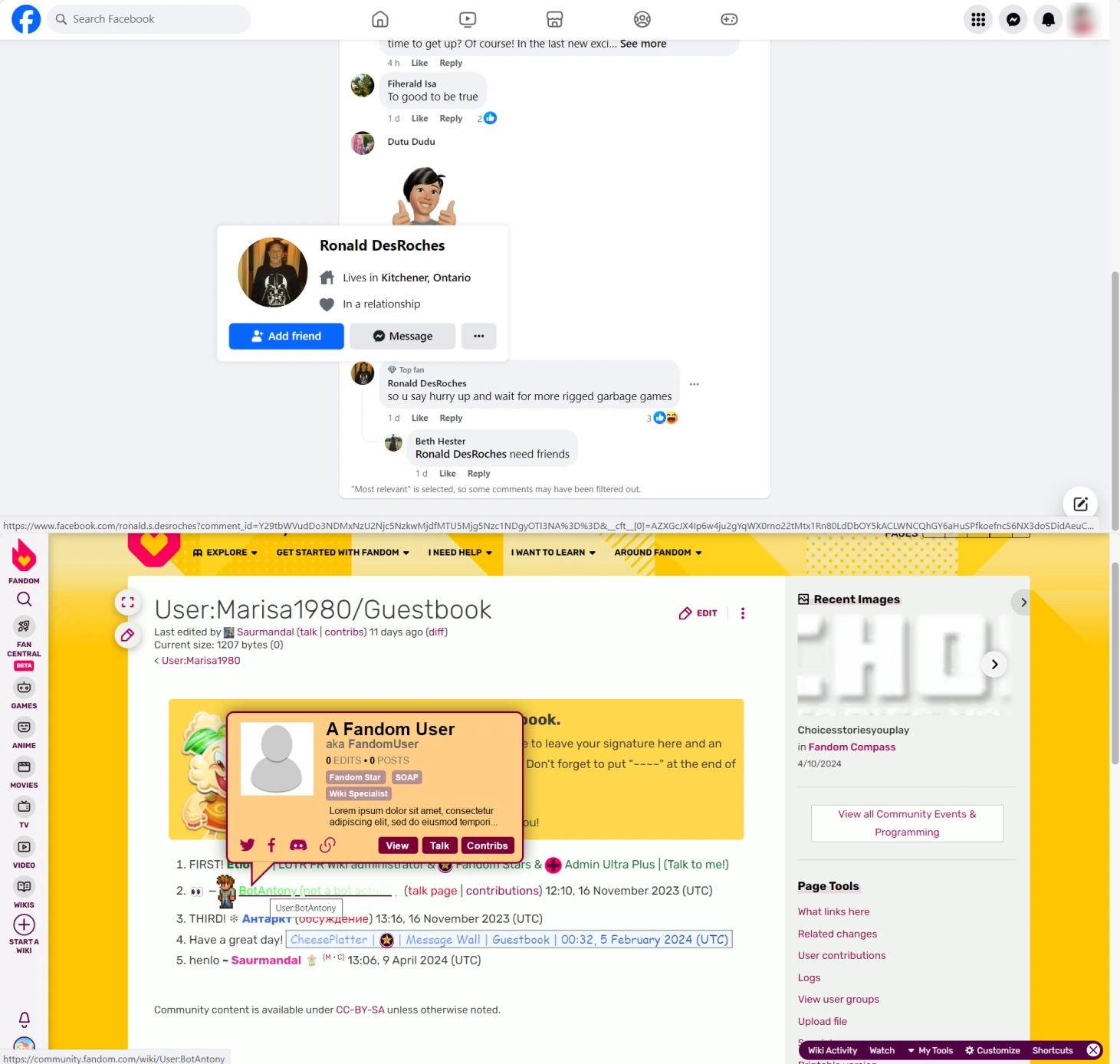
|