This is the talk page for discussing improvements to the DropdownMenu page.
- Please sign and date your posts by typing four tildes (
~~~~). - Put new text under old text. Click here to start a new topic.
- If you're new to the wiki, please take a look at the talk page help.
- Be polite
- Assume good faith
- Be welcoming
Displaynote
It's an nice css but it can bug out really quickly when you modify it to fast. I think it would be more stable if you just make another skin for Displaynote.Jens Ingels (talk) 09:56, May 3, 2013 (UTC)
- What do you mean "bug out"? You mean it's difficult to add list items? Do I have to improve the docs?
- And on a partially related note: From the short description I cannot tell what Displaynote is supposed to do. You might want to expand on that a little. I can also help you set up a demo if you want. Or ask Grunny to add you to the codeeditor group. Then you'll be able to set up a demo yourself. -- pecoes 10:09, May 03, 2013 (UTC)
The bug I reffering to is:
- White buttom is one of the 2 classes has an delaytime on his load. Probaly because it's done by an script and the system not not build with the css that's intregrate to it.
- Bug remain after the bug apears unless you reload your brower (currently the bug only apeared on the preview.
Simple the Displaynote else known as hovertext is in fact the css way to do an hover text or buttom. I think I probaly will rename it to hovertext.--Jens Ingels (talk) 13:30, May 3, 2013 (UTC)
- You mean the dropdown doesn't work on the preview of DropdownMenu? That's not ideal but expected behaviour. The JavaScript that handles the demos is currently configured not to load the CSS on pages with action=edit. I could probably change that, but I don't really think it's worth it.
- Or is there another scenario where the button doesn't work?
- The Hovertext thing sounds interesting! But you really should work on the docs, because what you just told me, is not at all what I gathered from the intro :( And really: You should add a demo! A live demo is a whole lot more informative than lots of intro anyway.
- BTW: You're Dutch, aren't you? I seem to remember seeing a few help articles that you translated into Dutch... Mijn Nederlands is niet even goed als mijn Engels, maar wij kunnen ook graag op Nederlands verder praaten :) -- pecoes 15:48, May 03, 2013 (UTC)
Yes I known but most css modification should work on preview in the oasis skin. I never bounced against an css class problem before until I bounced against this one. So it most be that some of the aspects are not load with the internal css function. Currently I didn't bounced against any other problems with this code.
I renamed it to HoverContent and improved both docs and css. I'm planning to rebuild the page with new and clear content afther the image previews are finished. Than when all that is finished I always can ask if they want to add it to their css. I first want to check if the css doesn't need any new modification or improvements.
Inderdaad, ik ben Nederlandstalig. Maar gezien de meeste van de wikia community een ander taal spreken. Lijkt het me interessanter om terug naar het Engels over te gaan. Je weet nooit wanneer een ander niet Nederlandstalig community lid zich bij de discussie wilt voegen.
--Jens Ingels (talk) 23:54, May 4, 2013 (UTC)
Than when all that is finished I always can ask if they want to add it to their css. I first want to check if the css doesn't need any new modification or improvements.
- No need to be so formal about it. We could simply make it so that HoverContent/code.css is loaded on HoverContent only and then you can continue to work on it if need be.
- And you're right of course. English is slightly more universal than Dutch. -- pecoes 03:31, May 05, 2013 (UTC)
A Practical Use
I found a very practical use for this CSS addition. Normally my screen would be swamped with buttons that do various things like page deletion, template addition, so on and so forth. With this I can take all of those buttons and place them in an ordered drop down menu which really cleans up everything. I'll include an example below.
$('#WikiHeader').append('<div class="custom-dropdown wikia-menu-button"><span>Ajax</span><ul class="WikiaMenuElement"><li class="ajax-delete"><a onclick="ajaxDelete()">Delete</a></li><li class="ajax-move"><a onclick="ajaxMove()">Move</a></li><li class="ajax-template"><a onclick="ajaxTemplate()">Template</a></li><li class="ajax-unsigned"><a onclick="ajaxUnsigned()">Unsigned</a></li><li class="ajax-redlinks"><a onclick="ajaxRedlinks()">Redlinks</a></li></ul></div>');
More customization?
Would it be possible to make the list do something like change a variable in a template? For example, setting two options to "yes" or "no", and then using a {{#if:<condition>|<if true>|<if false>}} to change the information that a template displays?
For a more specific example...on this page, the weapon item displayed can have a bonus percentage applied to the stats the weapon has. I'm wanting to set it so that viewers of the page can use a drop down list to select a specific percentage (100%-140%) to see what the stats would be for that bonus. But it seems like your drop-down list is made mainly for links. So if you know of a way, the help would be much appreciated. StormSurge95 (talk) 00:22, December 23, 2016 (UTC)
Natively supported in Oasis - obsolete?
Made obsolete by Fandom Design System integration in Oasis? Here's the doc and an example. Still, doesn't work in Monobook. -SPD ☎ ✎ 00:48, March 27, 2017 (UTC)
WDS Version
Can you make them WDS? —Preceding unsigned comment added by JustLeafy (talk • contribs) 03:21, July 3, 2017 (UTC). Please sign your posts with ~~~~!
UCP Support
Any idea when this will be supported for UCP wikis? GotenSakurauchi (Message Wall • Contributions • Guestbook)  12:24, November 13, 2020 (UTC)
- Hey there, apologies for the late reply! DropdownMenu does mostly work on UCP wikis, it just doesn't work well by default under certain circumstances. Whether we can address those circumstances depends on Wikia, but for now, if you're using DropdownMenu on a UCP wiki and it doesn't look right, we'd be happy to take a look and provide you with more specific advice around what sort of sitewide CSS you might need to add to fix things. puxlit (talk) 10:48, December 1, 2020 (UTC)
- It's okay, I'm glad you did reply. On the Symphogear Wiki, the Dropdown menu is used for mostly of these templates and since the wiki migrated to UCP the templates looks weird, which can be shown on this template. I hope you will be able to provide some advice to fix it. <: GotenSakurauchi (talk) 10:42, December 2, 2020 (UTC)
- Gotcha. I think the stylesheet import is missing. Could you edit your Wikia.css and change the line from
@import "/index.php?title=MediaWiki:Common.css&action=raw&ctype=text/css";to@import "/load.php?mode=articles&articles=u:dev:MediaWiki:DropdownMenu.css&only=styles";? This change will import the stylesheet that's required for DropdownMenu to look right on your wiki (and removes the redundant Common.css import). puxlit (talk) 11:47, December 2, 2020 (UTC)
- Gotcha. I think the stylesheet import is missing. Could you edit your Wikia.css and change the line from
- Thanks, it fixed it right away. <: GotenSakurauchi (talk) 18:26, December 2, 2020 (UTC)
DropdownMenu for on the right?
I managed to get the template itself on the right by applying style="float: right;", and I managed for the text of the menu items to align on the right using style="text-align: right;"... but how do I get the menu itself to align on the right?
Right now, it only looks like this:
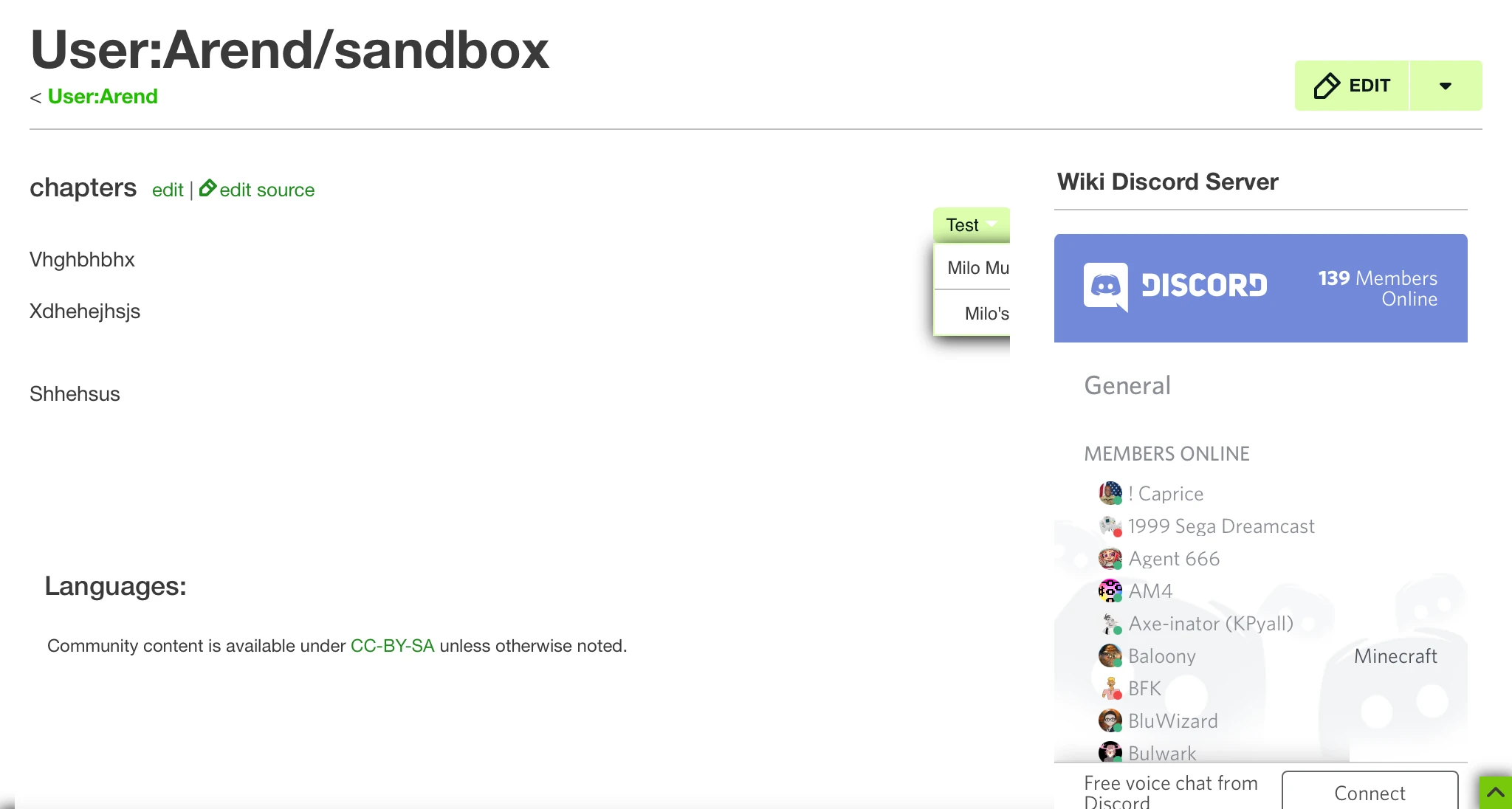
Instead of remaining in the article space, the dropdown menu will still align on the left like normal... at which it gets cut off. I just want the menu to start from the right of the button, towards the article space instead of away from it. {{SUBST:User:Arend/Sig2}} 21:44, November 14, 2020 (UTC)
- You could probably add the declaration
left: calc(-100% - 9px);to a rule with the selector.custom-dropdown .WikiaMenuElement. Depending on whether you want to affect all vs. some DropdownMenus, and whether you're on UCP, you may need to make that selector more specific. puxlit (talk) 11:05, December 1, 2020 (UTC)
The code you gave me is a push in the right direction, but I think I need a better calculation. Having left: calc(-100% - 9px); directly applied in this Dropdown template, I still have a few issues with the placement.
With dropdown menus with short items, the menu is placed way too far towards the left, making the right side almost align with the middle of the button:
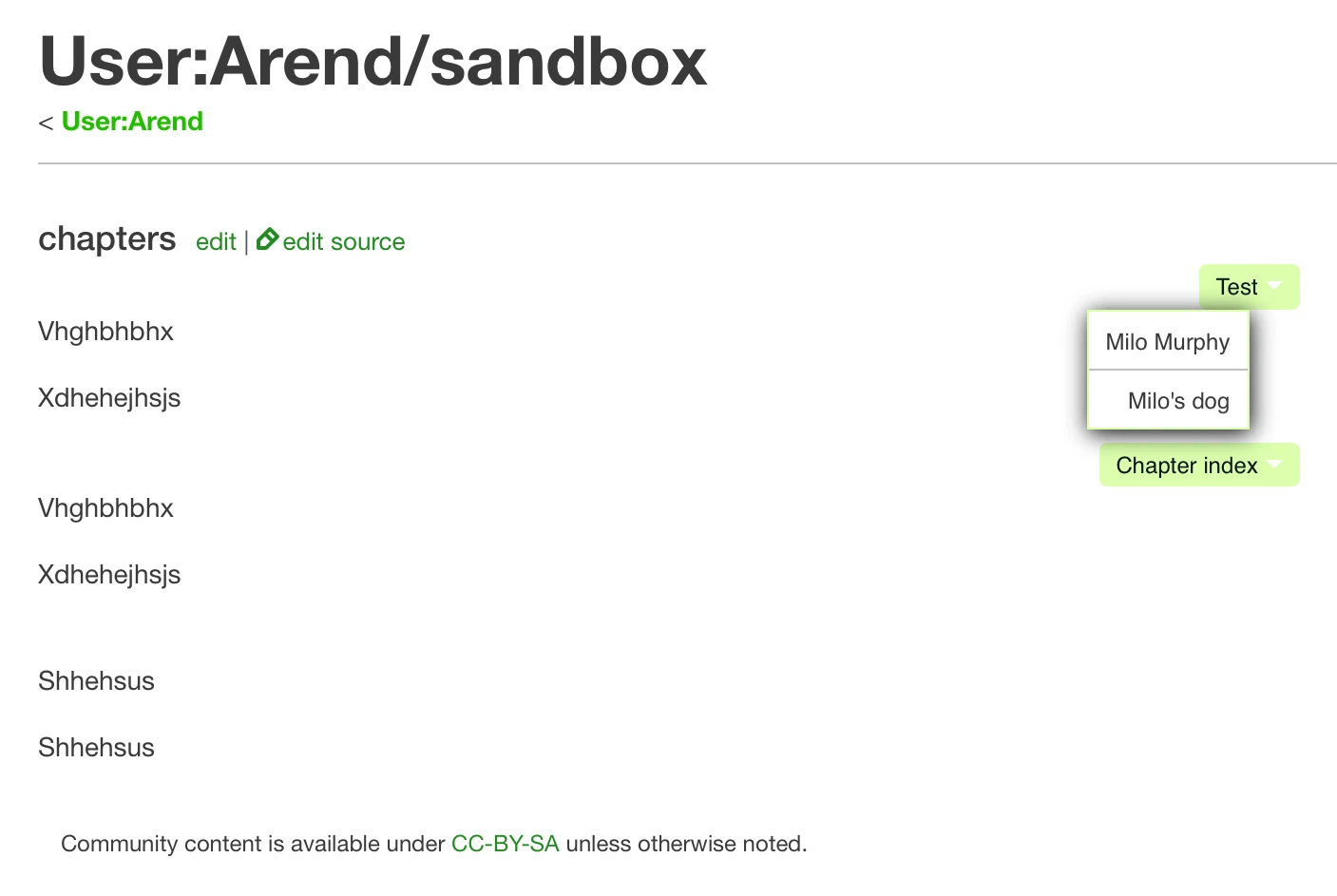
But with dropdown menus with longer items, the menu is placed not far enough towards the left, which means there's still a cutoff:
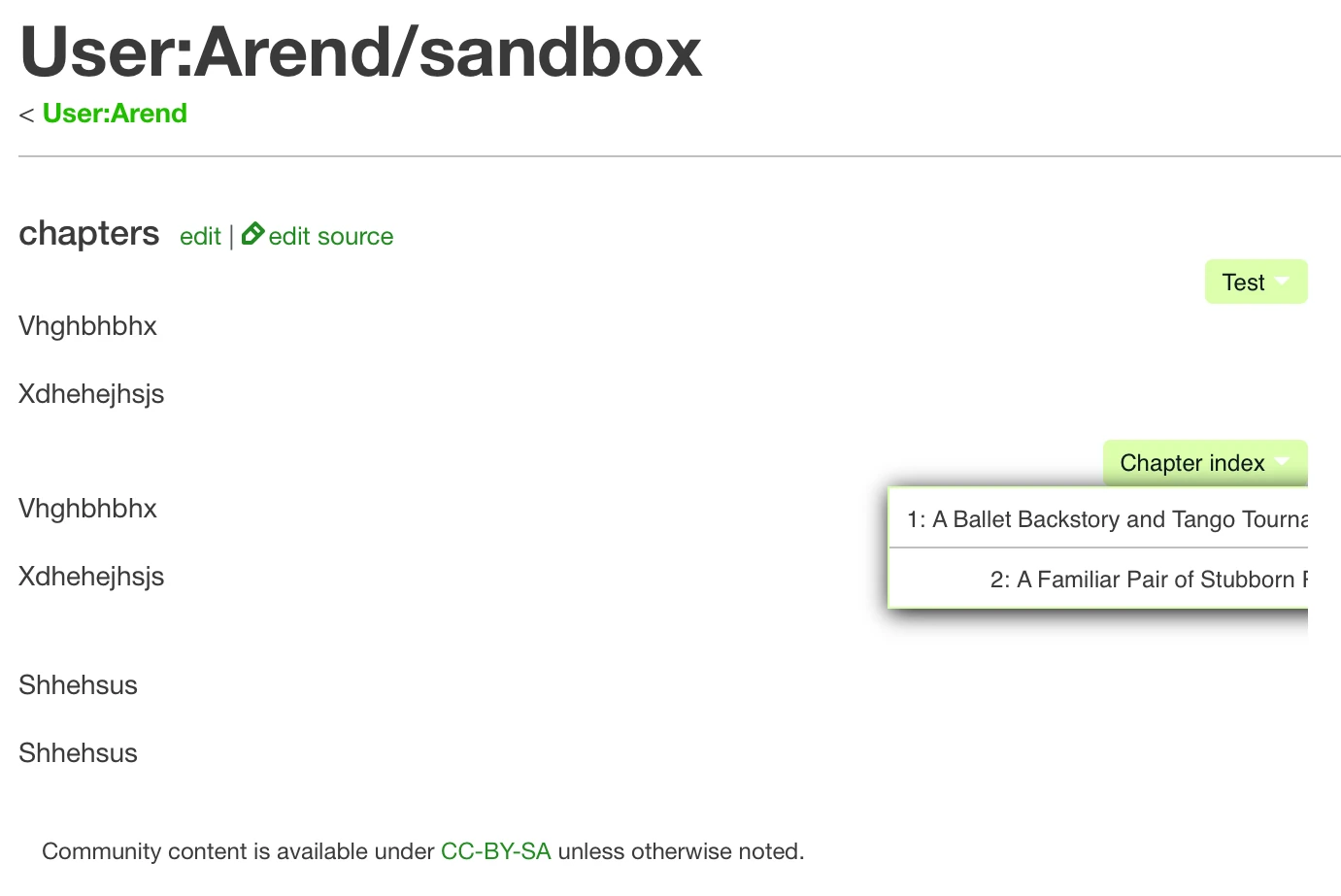
The wiki I'm using the Dropdown code for has UCP applied. Does that affect left: calc(-100% - 9px); in some way as well? {{SUBST:User:Arend/Sig2}} 01:13, December 3, 2020 (UTC)
- Oh. Try
left: auto; right: 0;instead. puxlit (talk) 03:51, December 3, 2020 (UTC)- That did the trick. Thank you! {{SUBST:User:Arend/Sig2}} 20:47, December 3, 2020 (UTC)
Change the color of the triangle
What should I modify in CSS to change the color of the triangle next to the drop-down list title? FugerCh100 PWP (es) 04:06, 10 May 2025 (UTC)