PinMessages is a JavaScript which allows users to pin a message on their Message Wall, keeping it permanently at the top regardless of how old it is. Staff and moderators can also unpin messages if necessary.
Installation
Usage
Once installed, a Pin Message option will appear in the three-dot dropdown menu on every message wall thread. Clicking it will pin that thread to the top of the wall. To unpin, open the dropdown on the pinned thread and click Unpin Message.
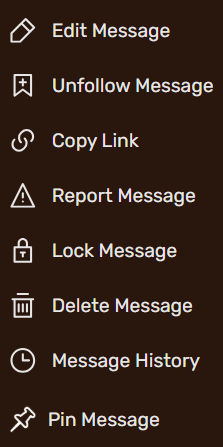

Example of the Pin Message option in the thread dropdown.
Notes
- Only the wall owner, administrators, thread moderators, content moderators, Fandom staff, SOAP, and wiki specialists can pin and unpin messages.
- The pinned thread ID is stored automatically at
User:USERNAME/PinnedMessage— no manual editing is required. - If the pinned thread is not in the initial page load, the script will fetch it automatically in the background so it always appears at the top.
- Only one message can be pinned per wall at a time. Pinning a new message will replace the existing pin.
Changelog
| Date | Notes | Updated by |
|---|---|---|
| May 23, 2026 | Bug Fixes
|
DaBritishWaffle |
| April 10, 2026 | First publication of the script. | DaBritishWaffle |
Text above can be found here (edit)